

How to maintain a Light Mcb Box?
Oct 27, 2026
Leave a message
Maintaining a Light Mcb Box is crucial for ensuring the safety and efficiency of your electrical system. As a supplier of Light Mcb Box, I have witnessed firsthand the importance of proper maintenance. In this blog post, I will share some essential tips on how to maintain a Light Mcb Box effectively.
Understanding the Light Mcb Box
Before delving into maintenance, it's important to understand what a Light Mcb Box is. A Light Mcb Box, also known as a Miniature Circuit Breaker Box, is a critical component in electrical systems. It houses miniature circuit breakers (MCBs) that protect electrical circuits from overcurrent and short - circuits. These boxes are commonly used in residential, commercial, and industrial settings to control and distribute electrical power safely.
Regular Inspections
One of the most important aspects of maintaining a Light Mcb Box is regular inspections. Inspections should be carried out at least once a year, but more frequent checks may be necessary in high - usage or harsh environments.
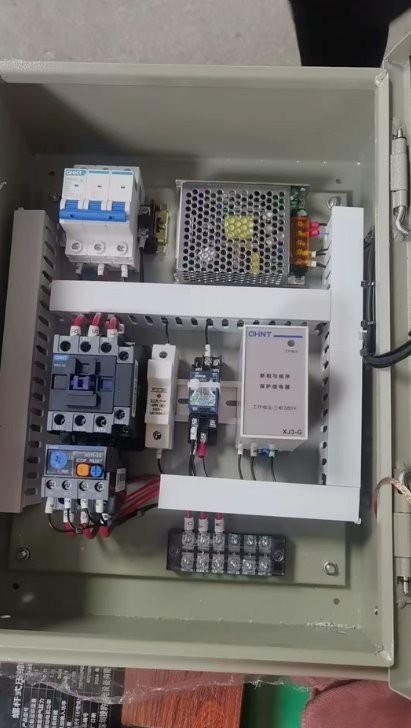
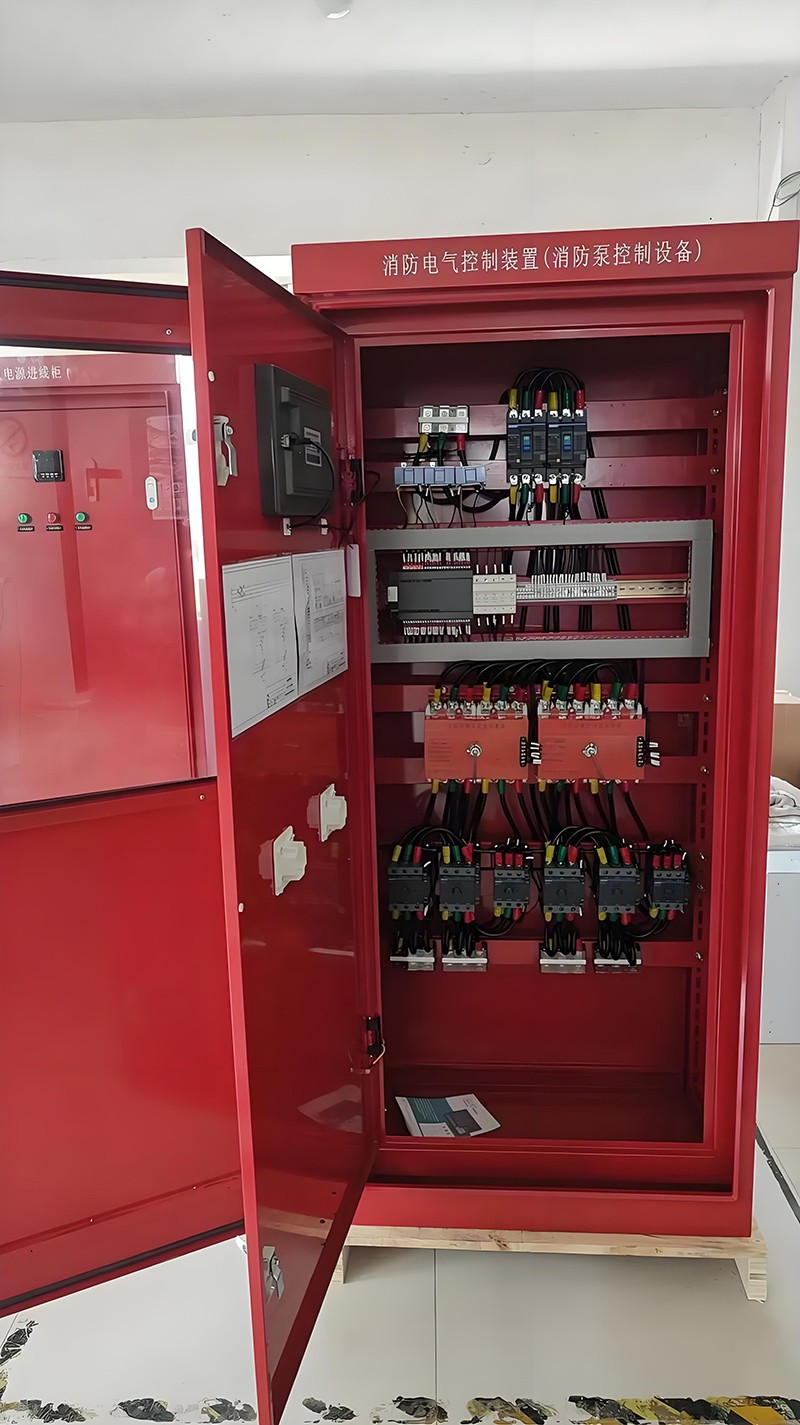
Visual Inspection
- Check for Physical Damage: Look for any signs of physical damage such as cracks, dents, or corrosion on the box itself. Physical damage can compromise the integrity of the box and may lead to electrical hazards.
- Inspect MCBs: Examine each MCB for signs of overheating, such as discoloration or charring. Overheating can indicate a problem with the circuit, such as an overload or a short - circuit. Also, check if the MCBs are in the correct position (on or off) and if they trip easily.
- Verify Wiring Connections: Ensure that all wiring connections are tight and secure. Loose connections can cause arcing, which is a major fire hazard. Look for any signs of frayed or damaged wires.
Functionality Testing
- Test MCBs: Use a circuit breaker tester to test the functionality of each MCB. This will help you determine if the MCBs are tripping at the correct current levels. If an MCB fails the test, it should be replaced immediately.
- Check for Grounding: Verify that the Light Mcb Box is properly grounded. A good grounding system is essential for protecting against electrical shocks and ensuring the safe operation of the electrical system.
Cleaning the Light Mcb Box
Dirt, dust, and debris can accumulate inside the Light Mcb Box over time, which can affect its performance. Regular cleaning is therefore necessary.
Turn Off the Power
Before cleaning the Light Mcb Box, always turn off the power supply to the box. This will prevent any electrical shocks or short - circuits during the cleaning process.
Remove Debris
- Use a Vacuum Cleaner: Use a soft - bristled vacuum cleaner attachment to gently remove dust and debris from the inside of the box. Be careful not to damage any of the components.
- Wipe with a Dry Cloth: After vacuuming, wipe the inside of the box with a dry, clean cloth to remove any remaining dust.
Tightening and Replacing Components
Over time, the components inside the Light Mcb Box may become loose or worn out. Regularly check and tighten all screws and connections.
Tightening Screws
- MCB Mounting Screws: Check the screws that hold the MCBs in place. If they are loose, tighten them gently to ensure a secure fit.
- Terminal Screws: Inspect the terminal screws where the wires are connected. Loose terminal screws can cause overheating and electrical problems.
Replacing Worn - Out Components
- MCBs: If an MCB is old, damaged, or no longer functioning properly, it should be replaced. Make sure to use a replacement MCB that is compatible with the Light Mcb Box and the electrical circuit.
- Wires: If you notice any frayed or damaged wires, replace them immediately. Using damaged wires can pose a serious safety risk.
Environmental Considerations
The environment in which the Light Mcb Box is installed can also affect its performance and lifespan.
Temperature and Humidity
- Avoid Extreme Temperatures: Light Mcb Boxes should be installed in areas where the temperature is within the recommended range. Extreme temperatures can cause the components to expand or contract, leading to damage.
- Control Humidity: High humidity can cause corrosion and electrical problems. Ensure that the area where the box is installed is well - ventilated and dry.
Protection from Physical Damage
- Install in a Safe Location: Place the Light Mcb Box in a location where it is protected from physical damage, such as impacts or vibrations.
- Use Protective Covers: Consider using a protective cover for the Light Mcb Box to prevent dust, dirt, and moisture from entering.
Documentation and Record - Keeping
Maintaining proper documentation and records of the maintenance activities for the Light Mcb Box is essential.
Maintenance Log
- Record Inspections: Keep a log of all inspections, including the date, findings, and any actions taken. This will help you track the condition of the box over time and identify any recurring problems.
- Document Replacements: Record the date and details of any component replacements. This information can be useful for warranty claims and future maintenance planning.
Related Products
In addition to Light Mcb Boxes, there are other types of distribution boxes that can be used in different applications. For example, the Intelligent Distribution Box offers advanced features such as remote monitoring and control, which can enhance the efficiency and safety of the electrical system. The Emergency Power Distribution Box is designed to provide power during emergencies, ensuring the continuity of critical electrical loads.
Contact for Purchase and Consultation
If you are in the market for a high - quality Light Mcb Box or need further advice on maintenance, feel free to reach out. Our team of experts is ready to assist you with your specific requirements. Whether you are a homeowner, a business owner, or an electrical contractor, we can provide you with the right products and solutions for your electrical needs.
References
- Electrical Safety Foundation International. (2023). Electrical Safety Tips.
- National Electrical Code (NEC). (2023). Standard for Electrical Installations.
Send Inquiry